> ## Documentation Index
> Fetch the complete documentation index at: https://docs-test.rye.com/docs/llms.txt
> Use this file to discover all available pages before exploring further.
# Create a group
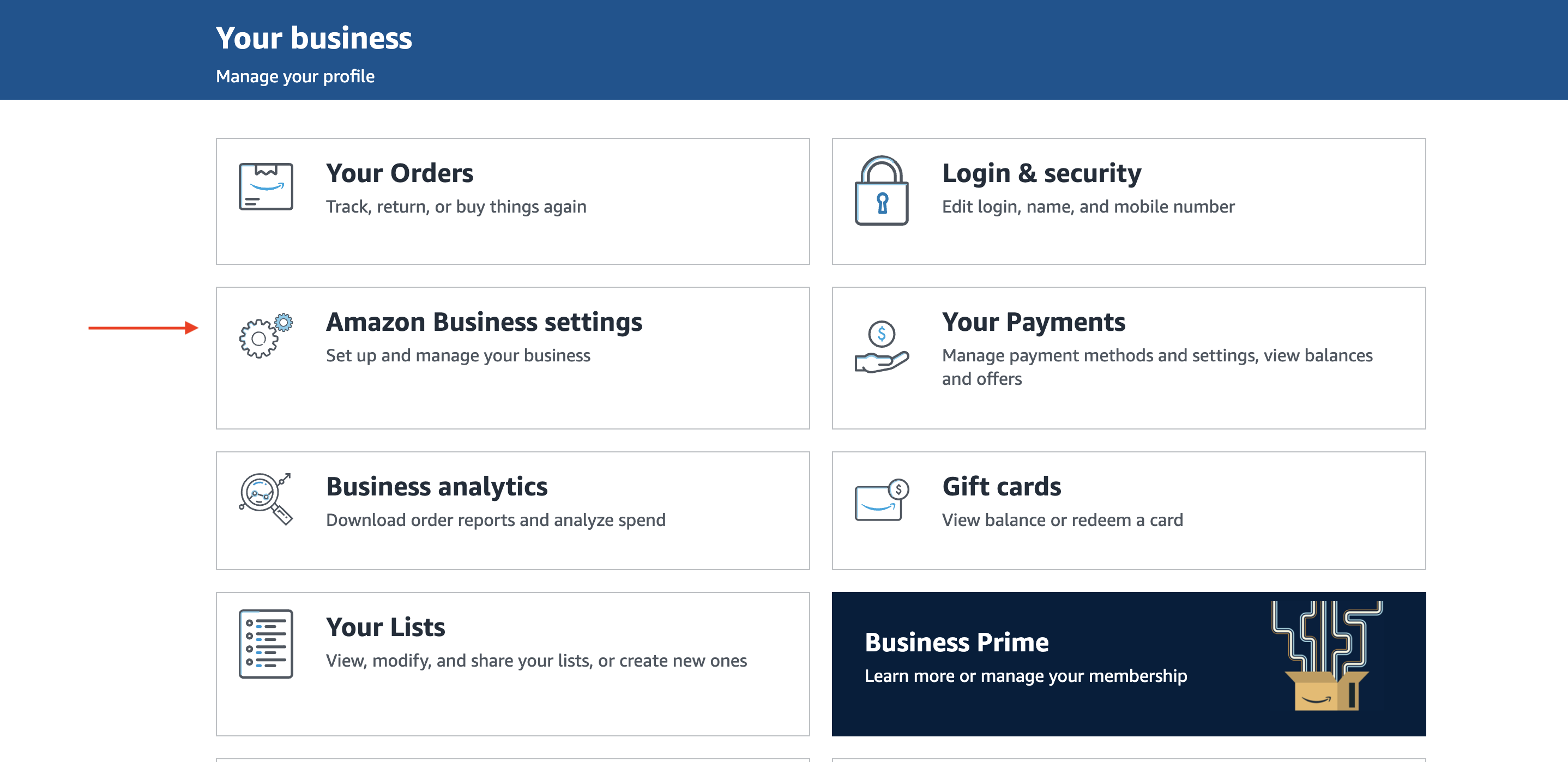
1. Go to `Settings` in Amazon
* Click on `Amazon Business settings`
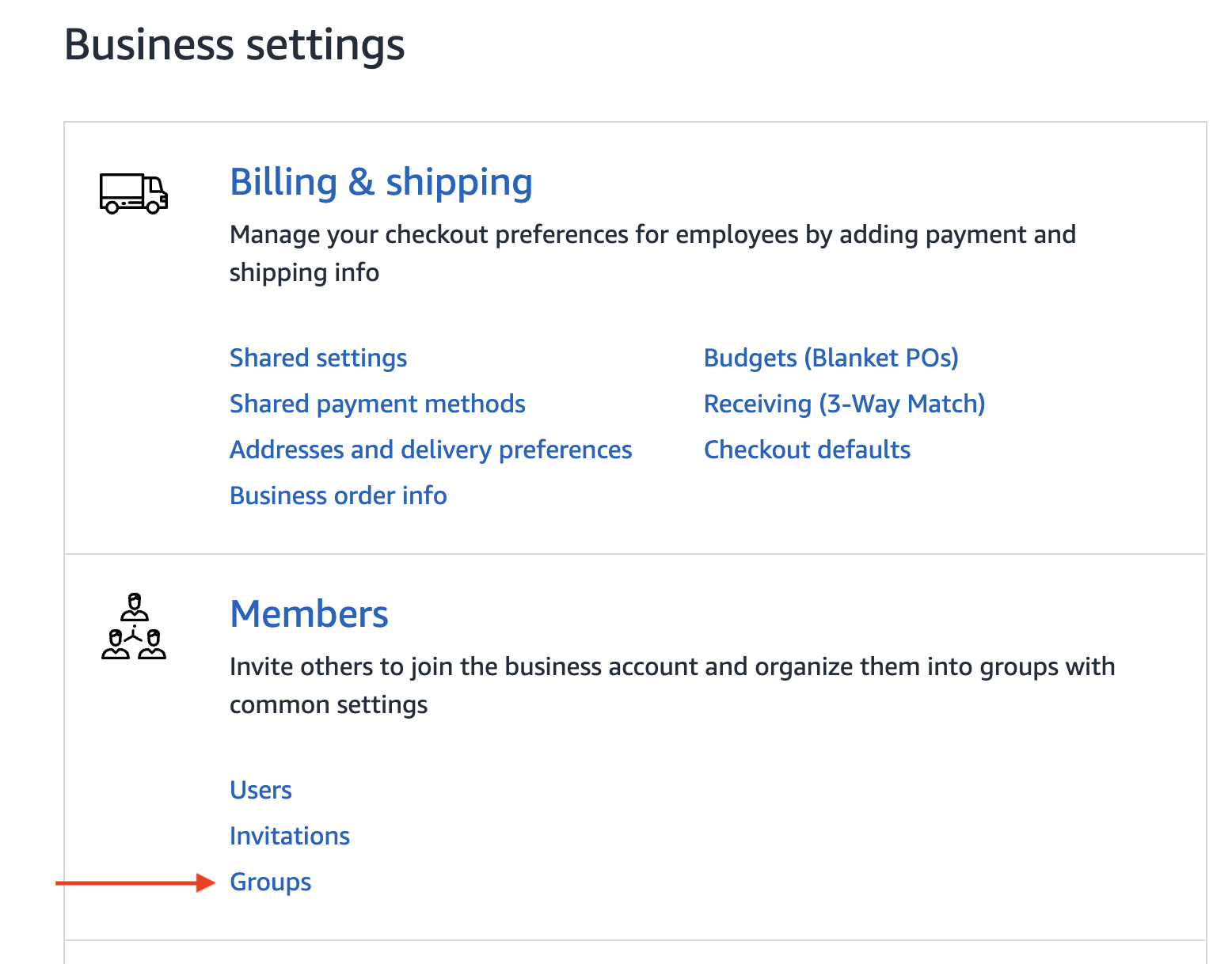
 2. Once in `Business settings` click on `Groups` under `Members`
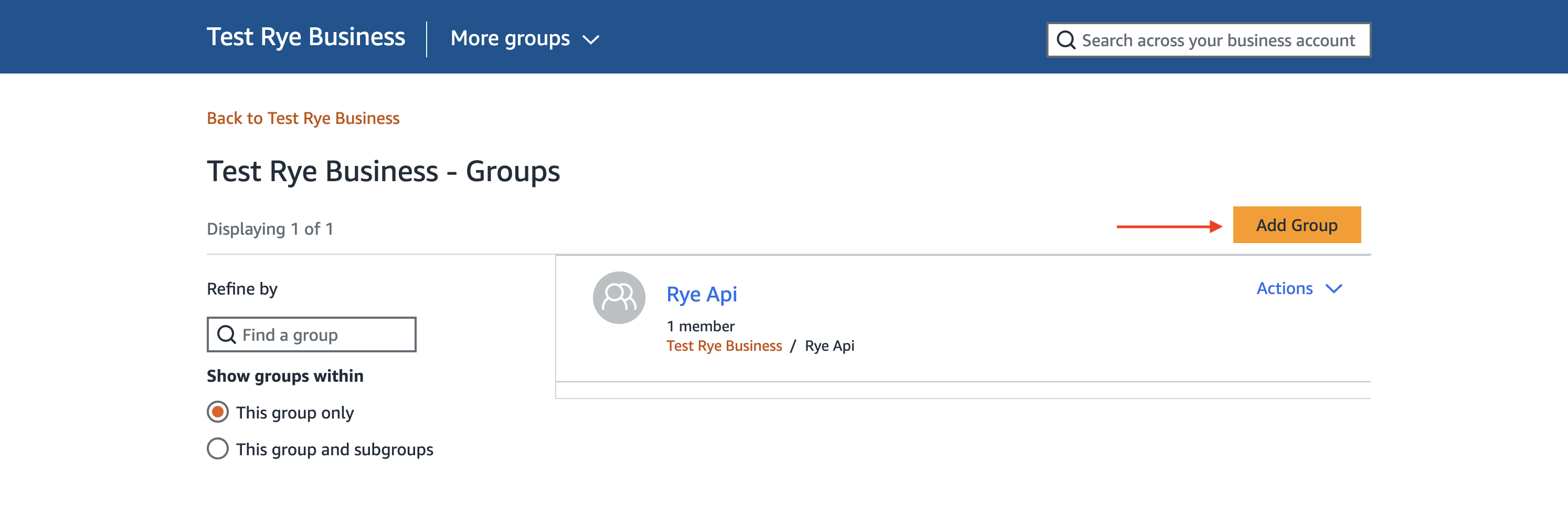
 3. Click `Add Group` on the Groups page
 4. Fill in the details with the values selected
* Select `Both Shared and Individual Payment Methods` under Payment methods
* Select `Individual Addresses` under Shipping addresses
4. Fill in the details with the values selected
* Select `Both Shared and Individual Payment Methods` under Payment methods
* Select `Individual Addresses` under Shipping addresses
 5. The group should appear in the list after a few seconds. If not, try refreshing the page.
6. Navigate to the group you just created
5. The group should appear in the list after a few seconds. If not, try refreshing the page.
6. Navigate to the group you just created
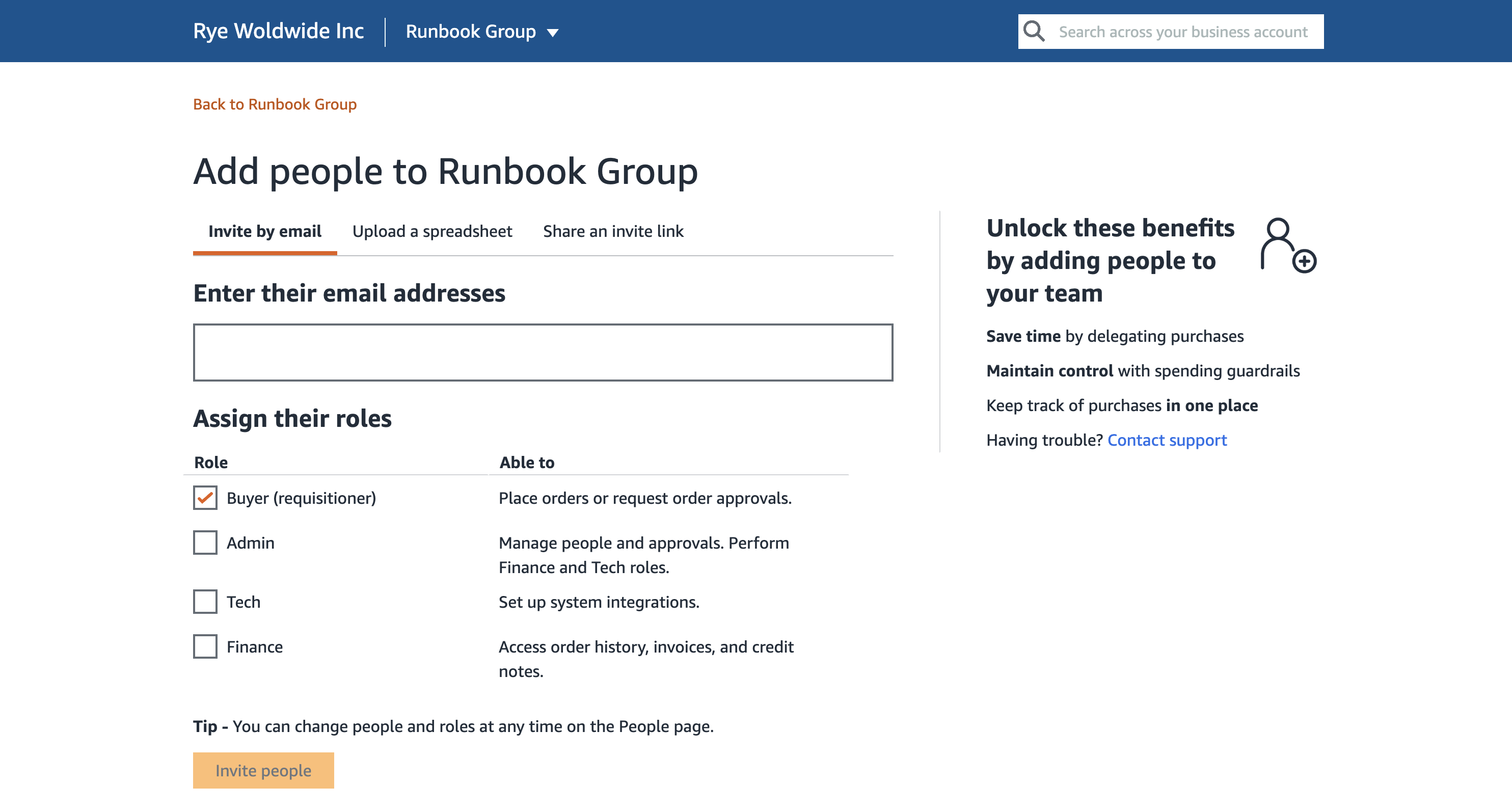
 * To add a user to the group, you can either click the `Add users` button at the top if this is a new group or navigate to `Users` under the `Members` section if the group already has members.
* On the Add users page enter the email of the user you want to add to the group. This user will be the one placing orders via Rye API.
* You cannot add a user that is already a member of another Amazon Business account’s group.
* If the user already exist on this account they can be added to the group
* If the email address entered is new, an invite email will be sent with instructions to create an Amazon Business account before being added to the group
* If you want to use the email address of the current account, make sure to give them buyer privileges.
It is recommended to use a different account than the account connected to Rye. This will guard against any situation where Amazon suspends the account placing orders. If that happens you will essentially lose access to past orders and orders currently in process of being delivered until the account is reinstated.
* Make sure `Buyer (requisitioner)` is checked to give the user you are adding buyer privileges
* To add a user to the group, you can either click the `Add users` button at the top if this is a new group or navigate to `Users` under the `Members` section if the group already has members.
* On the Add users page enter the email of the user you want to add to the group. This user will be the one placing orders via Rye API.
* You cannot add a user that is already a member of another Amazon Business account’s group.
* If the user already exist on this account they can be added to the group
* If the email address entered is new, an invite email will be sent with instructions to create an Amazon Business account before being added to the group
* If you want to use the email address of the current account, make sure to give them buyer privileges.
It is recommended to use a different account than the account connected to Rye. This will guard against any situation where Amazon suspends the account placing orders. If that happens you will essentially lose access to past orders and orders currently in process of being delivered until the account is reinstated.
* Make sure `Buyer (requisitioner)` is checked to give the user you are adding buyer privileges