;
};
export const llmPrompt = `Build a complete ecommerce application using Rye's Universal Checkout API with Supabase Edge Functions as the backend. Use the official Rye TypeScript SDK (checkout-intents) for all Rye API calls. The app should let users browse products and place orders through any merchant (Amazon, Shopify, etc.).
## What Rye Does
Rye is a commerce API that lets you sell products from any merchant (Amazon, Shopify, etc.) in your app. You provide a product URL and buyer details, Rye fetches pricing/shipping from the merchant, and you confirm with a payment token to place the order.
## Architecture
IMPORTANT: All Rye SDK calls MUST happen server-side. Never import or use the checkout-intents SDK in frontend code — the API key must stay on the server.
- Frontend: React app (Vite or Next.js) with TypeScript and Tailwind CSS. Calls Supabase Edge Functions via fetch — never calls Rye directly.
- Backend: Supabase Edge Functions (Deno) that use the checkout-intents SDK to call the Rye API. The CHECKOUT_INTENTS_API_KEY stays server-side as a Supabase secret.
## Rye SDK Setup
In Supabase Edge Functions (Deno), import the SDK via npm: specifier:
import CheckoutIntents from 'npm:checkout-intents';
For Node.js projects: npm install checkout-intents
import CheckoutIntents from 'checkout-intents';
Environment variable: CHECKOUT_INTENTS_API_KEY (the SDK reads this by default)
For staging, also set: CHECKOUT_INTENTS_BASE_URL=https://staging.api.rye.com
Initialize:
const client = new CheckoutIntents(); // reads CHECKOUT_INTENTS_API_KEY from env
## Rye SDK Usage
### Create checkout intent and poll until offer is ready
const intent = await client.checkoutIntents.createAndPoll({
buyer: { firstName, lastName, email, phone, address1, city, province, postalCode, country: 'US' },
productUrl: 'https://flybyjing.com/collections/shop/products/sichuan-chili-crisp',
quantity: 1,
});
// intent.state === 'awaiting_confirmation'
// intent.offer.cost: { subtotal, tax, total } (each with amountSubunits, currencyCode)
// intent.offer.shipping: { availableOptions, selectedOptionId }
### Confirm with payment and poll until completed
const completed = await client.checkoutIntents.confirmAndPoll(intent.id, {
paymentMethod: { stripeToken: 'tok_visa', type: 'stripe_token' },
});
// completed.state === 'completed' or 'failed'
### Other useful SDK methods
- client.checkoutIntents.create(params) — create without polling
- client.checkoutIntents.retrieve(id) — get current state
- client.checkoutIntents.confirm(id, params) — confirm without polling
- client.checkoutIntents.pollUntilCompleted(id) — poll existing intent
- client.products.lookup({ url }) — look up product details by URL
### Error handling
import CheckoutIntents, { PollTimeoutError } from 'checkout-intents';
If intent.state === 'failed', check intent.failureReason.code and intent.failureReason.message.
## Important Notes
- Test payment token: tok_visa (Stripe test token, works in staging)
- US shipping addresses only
## App Requirements
1. Product browsing page with sample product URLs from various merchants
2. Product detail view showing item info
3. Checkout flow: buyer info form → create intent via Supabase function (using SDK) → poll for offer → display pricing (subtotal, shipping, tax, total) → confirm payment → show order result
4. Supabase Edge Function that uses the checkout-intents SDK (keeps CHECKOUT_INTENTS_API_KEY server-side)
5. Error handling for failed orders with failureReason display
6. Clean, modern UI with Tailwind CSS
7. Environment variables: SUPABASE_URL, SUPABASE_ANON_KEY (frontend), CHECKOUT_INTENTS_API_KEY and CHECKOUT_INTENTS_BASE_URL (Supabase Edge Function secrets)
## Supabase Edge Function Example
The edge function receives requests from the frontend and uses the SDK:
- POST /rye-checkout with action: "create" | "confirm" | "get" and relevant payload
- Uses the checkout-intents SDK initialized with CHECKOUT_INTENTS_API_KEY from Deno.env
- Returns Rye API response to frontend
Generate the complete application with all files. Include a README with setup instructions for connecting to Supabase and configuring the Rye API key. Make sure the .gitignore includes .env and .env.* so secrets are never committed to version control. After generating the code, ask the user for their Rye API key so you can update the .env or .env.local file with the actual CHECKOUT_INTENTS_API_KEY value. Also ask for their Supabase URL and anon key to fill in SUPABASE_URL and SUPABASE_ANON_KEY. Confirm which environment they want to use (staging or production) so you can set CHECKOUT_INTENTS_BASE_URL accordingly.`;
# Overview
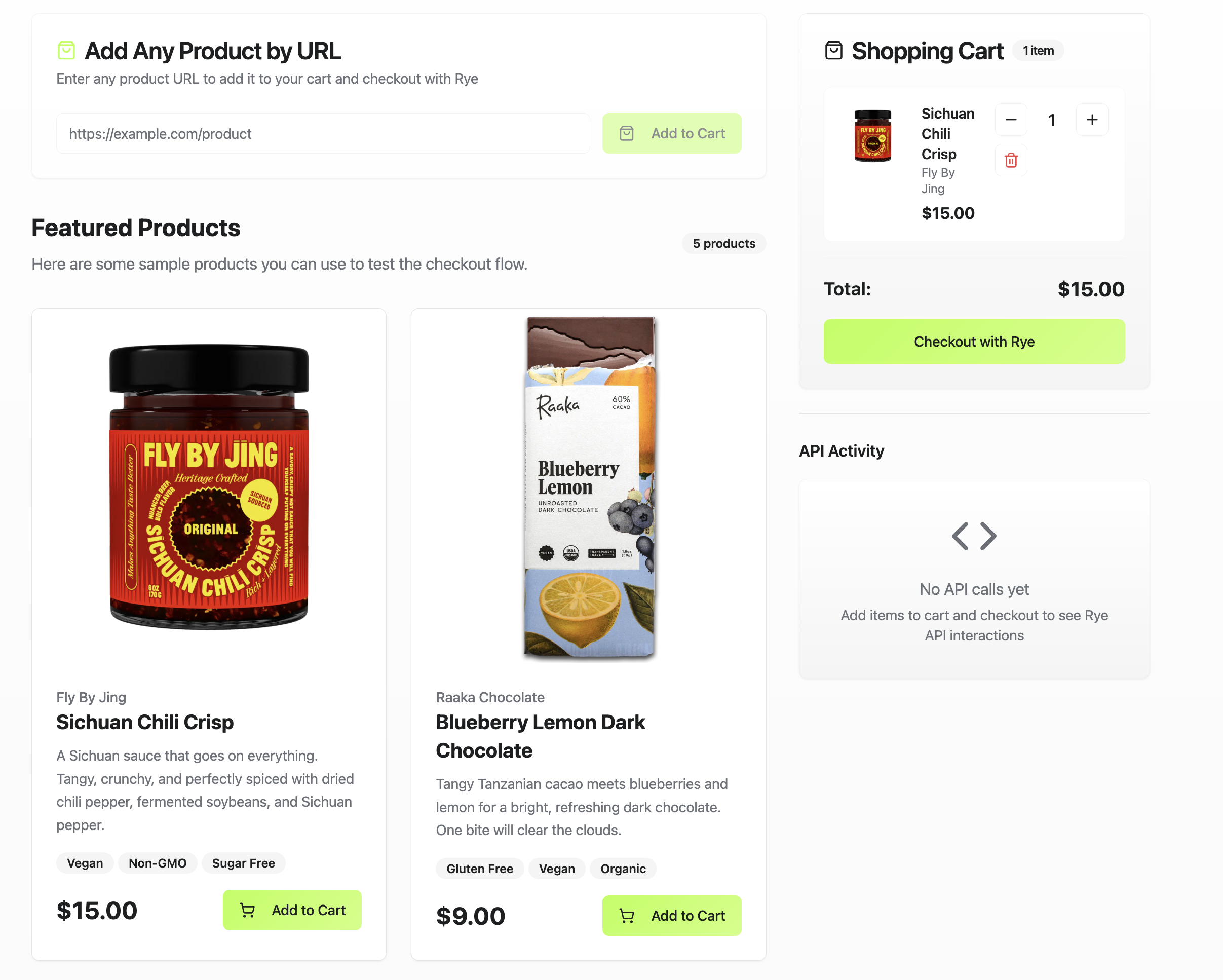
This tutorial shows you how to build an ecommerce app using Lovable, Supabase, and Rye. You can see a [live version of it here](https://rye-demo.lovable.app/) and [view the source code here](https://github.com/rye-com/rye-lovable-demo).
Lovable is an AI-powered app builder that can generate applications from natural language prompts. Supabase is a backend-as-a-service platform, including serverless functions to enable calling third-party APIs. Rye is an ecommerce API that lets you surface products from multiple merchants in your app and place orders programmatically.
By the end of this tutorial, you will have a Lovable app connected to Supabase and Rye, capable of letting users browse products and place orders. From there, you can customize it, including the look and feel, and extend the app’s functionality to build any type of ecommerce experience.
# Tutorial
This app is for demo purposes only. Before using any code generated from this repo in production, thoroughly review and test it for security and proper functionality.
## Step 1: Set Up Accounts
Lovable: [Sign up for a Lovable account](https://lovable.dev/signup) to generate and manage your app.
Supabase: [Create a Supabase account](https://supabase.com/dashboard/sign-up) and [set up a new project](https://supabase.com/docs/guides/getting-started) in your account for use with this tutorial.
Rye: [Sign up for a Rye staging account](https://docs.rye.com/api-v2/account-registration) to checkout orders. [Get your API key](https://docs.rye.com/api-v2/authorization) and store it in a secure place.
## Step 2: Connect Lovable with Supabase
Connect Supabase to Lovable by [following these steps](https://docs.lovable.dev/integrations/supabase).
## Step 3: Create App in Lovable
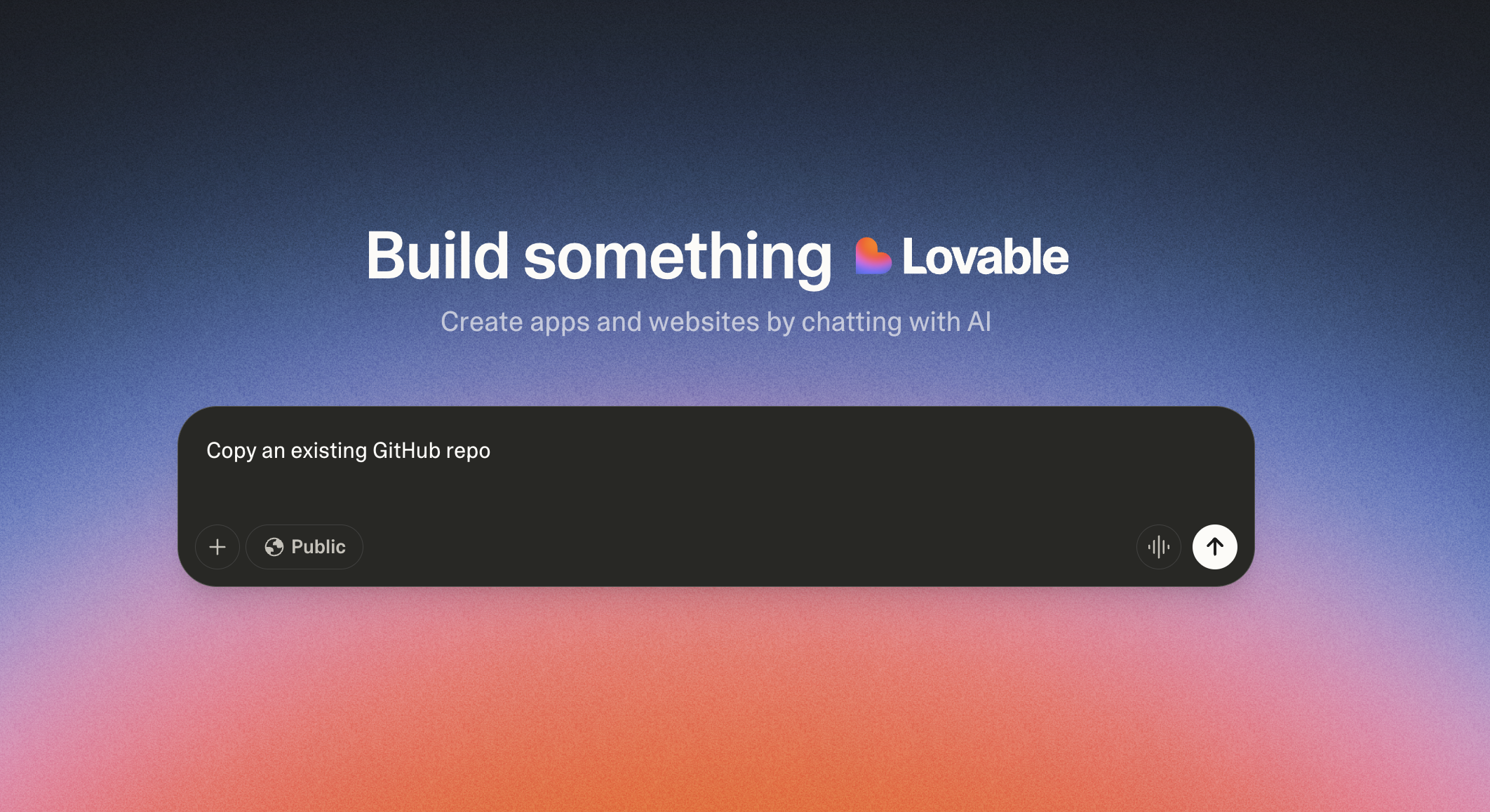
Create a new app in Lovable with this prompt.
> Copy an existing GitHub repo
This will create a blank Lovable project. Then ask Lovable to use this repo.
> [https://github.com/rye-com/rye-lovable-demo](https://github.com/rye-com/rye-lovable-demo)
Lovable will generate the app now. Afterwards run this prompt to confirm the setup.
> 1. Check for any required Supabase functions used by the code.
> 2. If the Supabase functions already exist in Supabase, connect to them.
> 3. If the Supabase functions do not exist, create them in Supabase.
> 4. If the Rye API key doesn’t exist in Supabase, add a placeholder Rye API key with the value of “AddAPIKeyHere”
## Step 4: Add API Key in Supabase
Log in to Supabase and navigate to the new function created within your Supabase project from step 1. Find the environmental variable with the value `AddAPIKeyHere` and replace it with your Rye API key from the staging environment.
## Step 5: Test & Secure the App
After running the prompts in step 3, Lovable will display a preview of your app. Test your app in that section.
Run [Lovable’s built-in security test](https://docs.lovable.dev/features/security) and address any issues it identifies. Lovable generates code with AI, so it is important to verify that all security measures, such as input validation, authentication, and access controls are correctly implemented before deploying the app.
# Extend Your App
Now you can customize your app, including the UI and functionality, to build any type of ecommerce experience.
Using Lovable prompts, you can add features like an admin dashboard to manage products. For a more AI-focused experience, you could integrate a chatbot to answer common questions or guide users through checkout.
Remember, this app is for demo purposes, so review and test it thoroughly before deploying to production.
 # Tutorial
 This will create a blank Lovable project. Then ask Lovable to use this repo.
> [https://github.com/rye-com/rye-lovable-demo](https://github.com/rye-com/rye-lovable-demo)
Lovable will generate the app now. Afterwards run this prompt to confirm the setup.
> 1. Check for any required Supabase functions used by the code.
> 2. If the Supabase functions already exist in Supabase, connect to them.
> 3. If the Supabase functions do not exist, create them in Supabase.
> 4. If the Rye API key doesn’t exist in Supabase, add a placeholder Rye API key with the value of “AddAPIKeyHere”
## Step 4: Add API Key in Supabase
Log in to Supabase and navigate to the new function created within your Supabase project from step 1. Find the environmental variable with the value `AddAPIKeyHere` and replace it with your Rye API key from the staging environment.
## Step 5: Test & Secure the App
After running the prompts in step 3, Lovable will display a preview of your app. Test your app in that section.
Run [Lovable’s built-in security test](https://docs.lovable.dev/features/security) and address any issues it identifies. Lovable generates code with AI, so it is important to verify that all security measures, such as input validation, authentication, and access controls are correctly implemented before deploying the app.
# Extend Your App
Now you can customize your app, including the UI and functionality, to build any type of ecommerce experience.
Using Lovable prompts, you can add features like an admin dashboard to manage products. For a more AI-focused experience, you could integrate a chatbot to answer common questions or guide users through checkout.
Remember, this app is for demo purposes, so review and test it thoroughly before deploying to production.
This will create a blank Lovable project. Then ask Lovable to use this repo.
> [https://github.com/rye-com/rye-lovable-demo](https://github.com/rye-com/rye-lovable-demo)
Lovable will generate the app now. Afterwards run this prompt to confirm the setup.
> 1. Check for any required Supabase functions used by the code.
> 2. If the Supabase functions already exist in Supabase, connect to them.
> 3. If the Supabase functions do not exist, create them in Supabase.
> 4. If the Rye API key doesn’t exist in Supabase, add a placeholder Rye API key with the value of “AddAPIKeyHere”
## Step 4: Add API Key in Supabase
Log in to Supabase and navigate to the new function created within your Supabase project from step 1. Find the environmental variable with the value `AddAPIKeyHere` and replace it with your Rye API key from the staging environment.
## Step 5: Test & Secure the App
After running the prompts in step 3, Lovable will display a preview of your app. Test your app in that section.
Run [Lovable’s built-in security test](https://docs.lovable.dev/features/security) and address any issues it identifies. Lovable generates code with AI, so it is important to verify that all security measures, such as input validation, authentication, and access controls are correctly implemented before deploying the app.
# Extend Your App
Now you can customize your app, including the UI and functionality, to build any type of ecommerce experience.
Using Lovable prompts, you can add features like an admin dashboard to manage products. For a more AI-focused experience, you could integrate a chatbot to answer common questions or guide users through checkout.
Remember, this app is for demo purposes, so review and test it thoroughly before deploying to production.