

-
Click on
Configure purchasing systemunderSystem integrations
-
On the next screen, search for
Ordering-API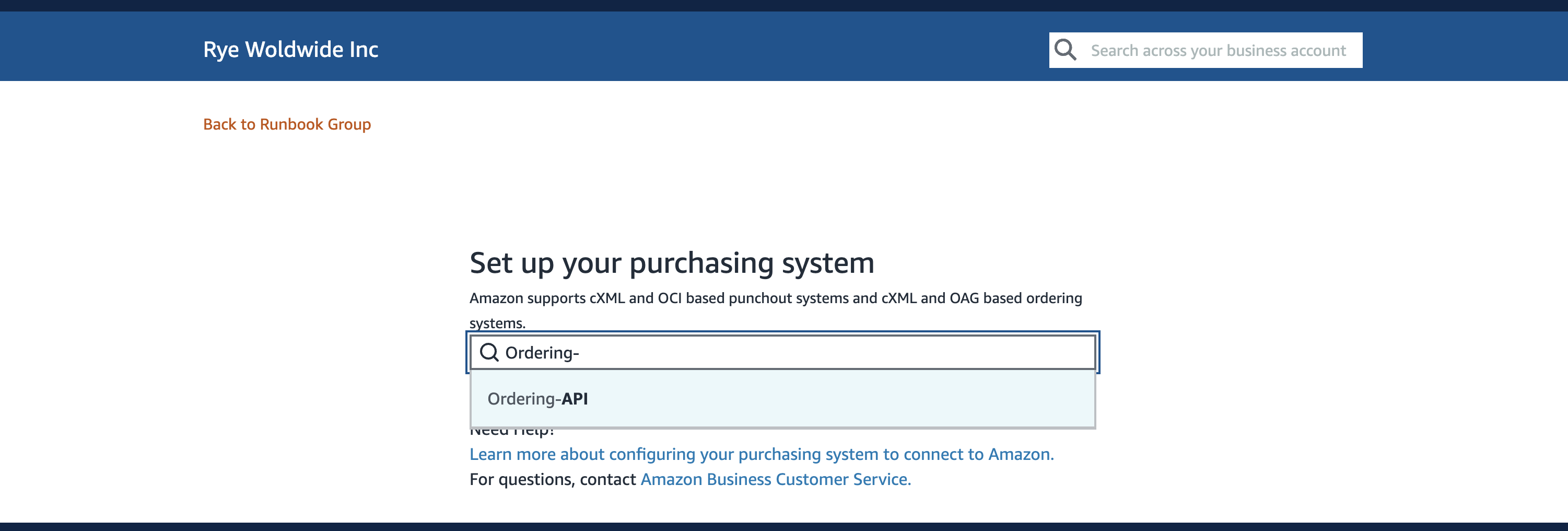
-
Before clicking the
Savebutton, document the value forSystem Login. This is the value that will be used for yourgroupId.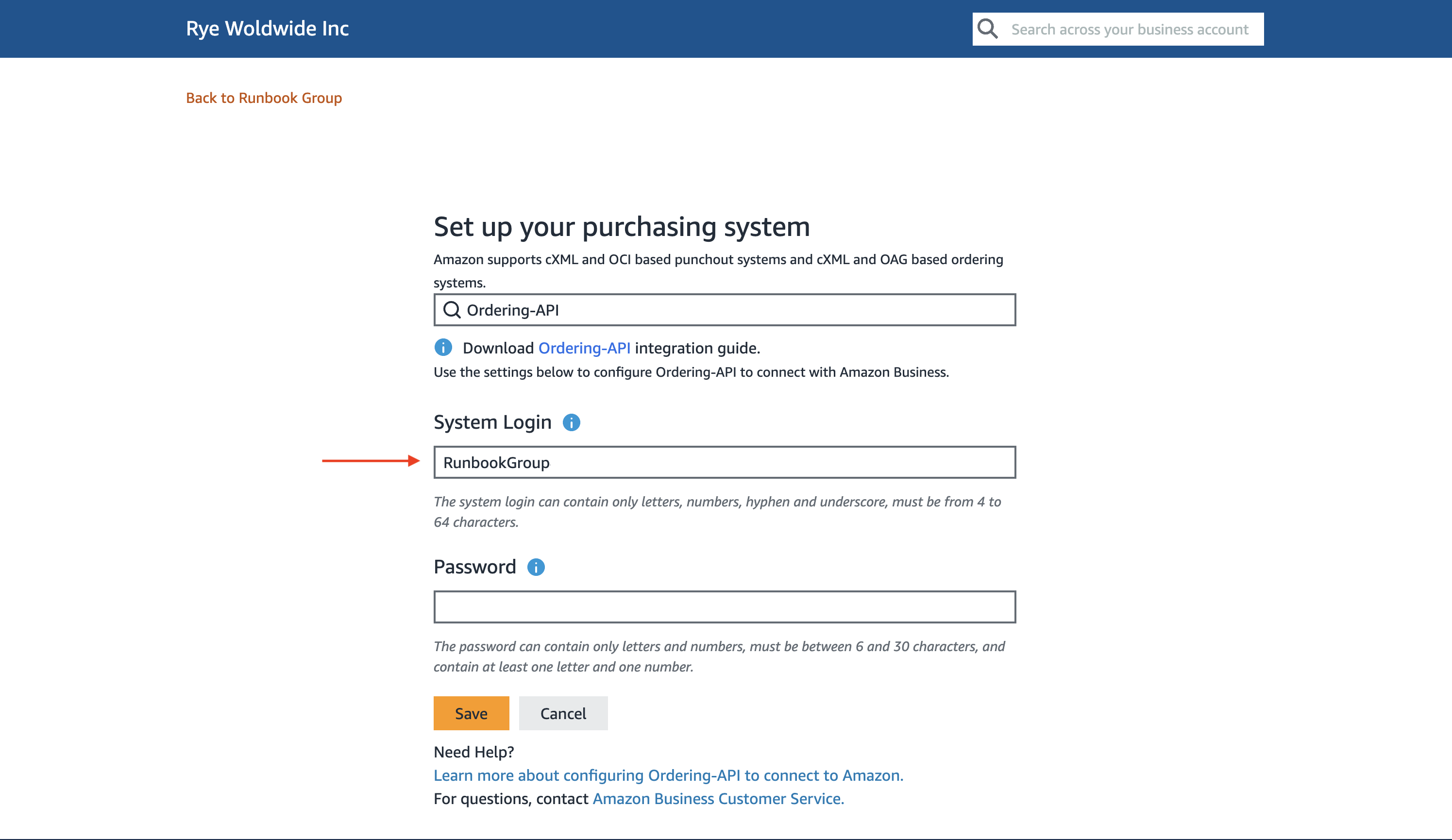
-
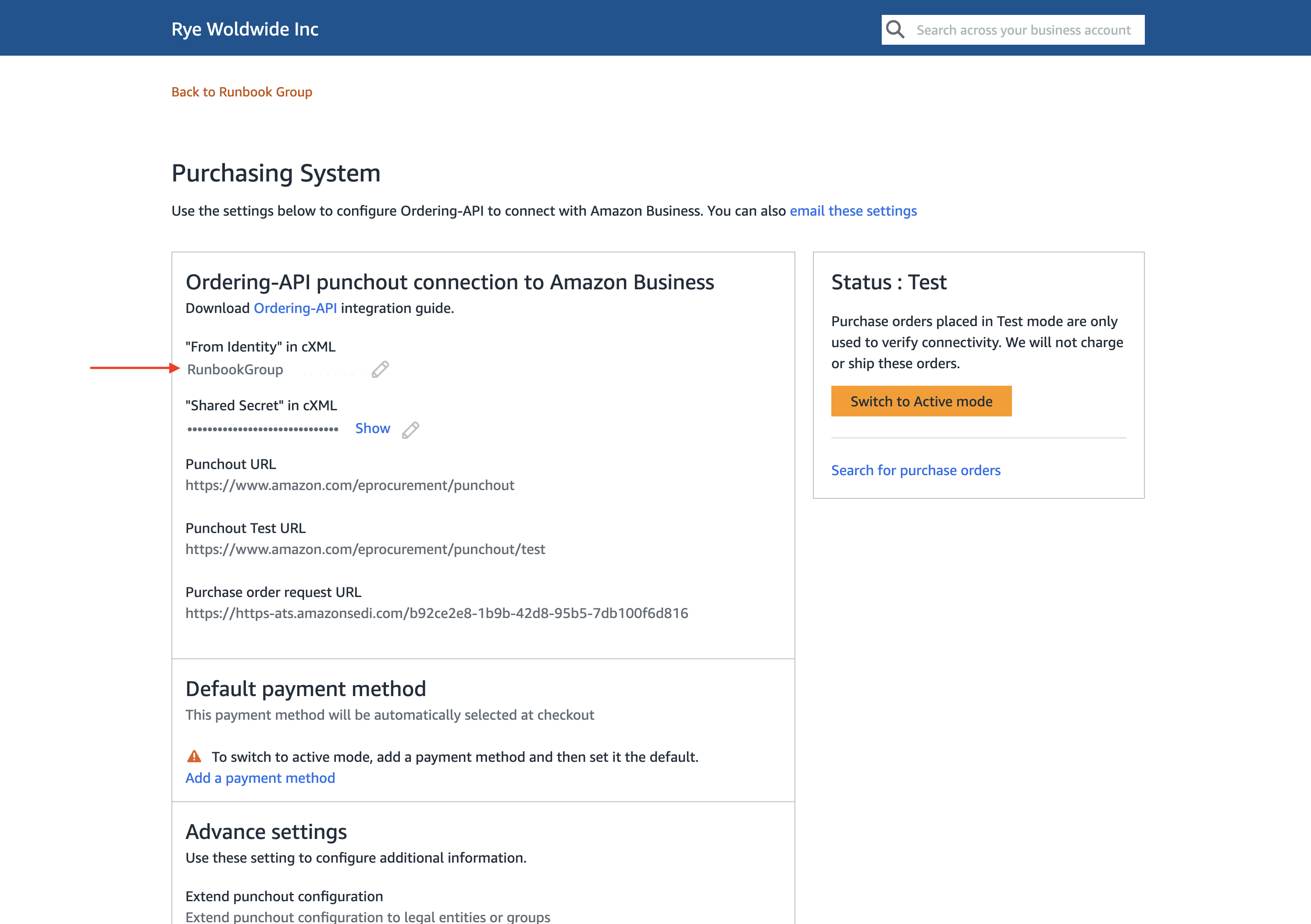
After clicking the
Savebutton, you will be taken to thePurchasing Systemscreen."From Identity" in cXMLis another place to get thegroupId
Configure Purchasing System
Next we will configure the Purchasing System. Setting this up allows us to fulfill orders on Amazon Business.
Was this page helpful?