

Authorization header containing your API key. This key authenticates your requests and allows you to access all available endpoints.
Important: Keep your API key private. Anyone with access to it can make requests on your behalf. If you suspect your key has been compromised, contact us immediately to generate a new one.
Using Your API Key
Include your API key in theAuthorization header of every request:
Environment-Specific Keys
Each API environment has a unique key:- Staging API key: Works only in the staging environment.
- Production API key: Works only in the production environment.
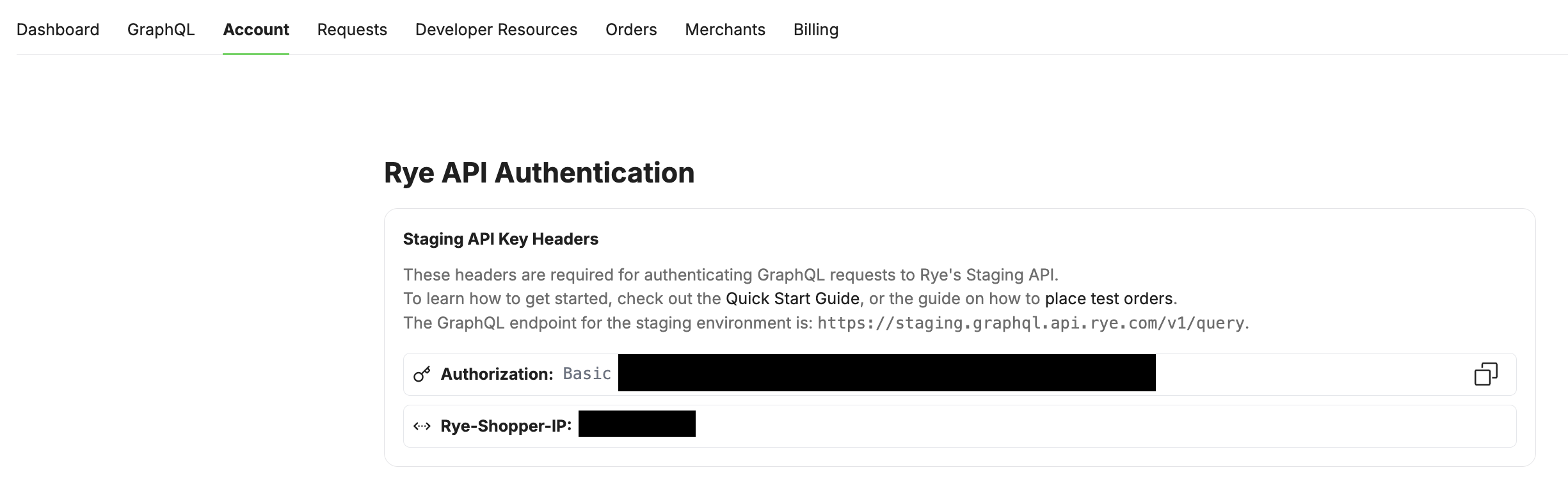
Retrieving Your API Key
- Log in to the Rye console.
- Navigate to the Account page -> API Key Headers section.
- View and copy your API key.
Best Practices
- Never embed your API key in client-side code or publicly-accessible repositories.
- Use environment variables or a secure key management system to store and access your API keys in your applications.