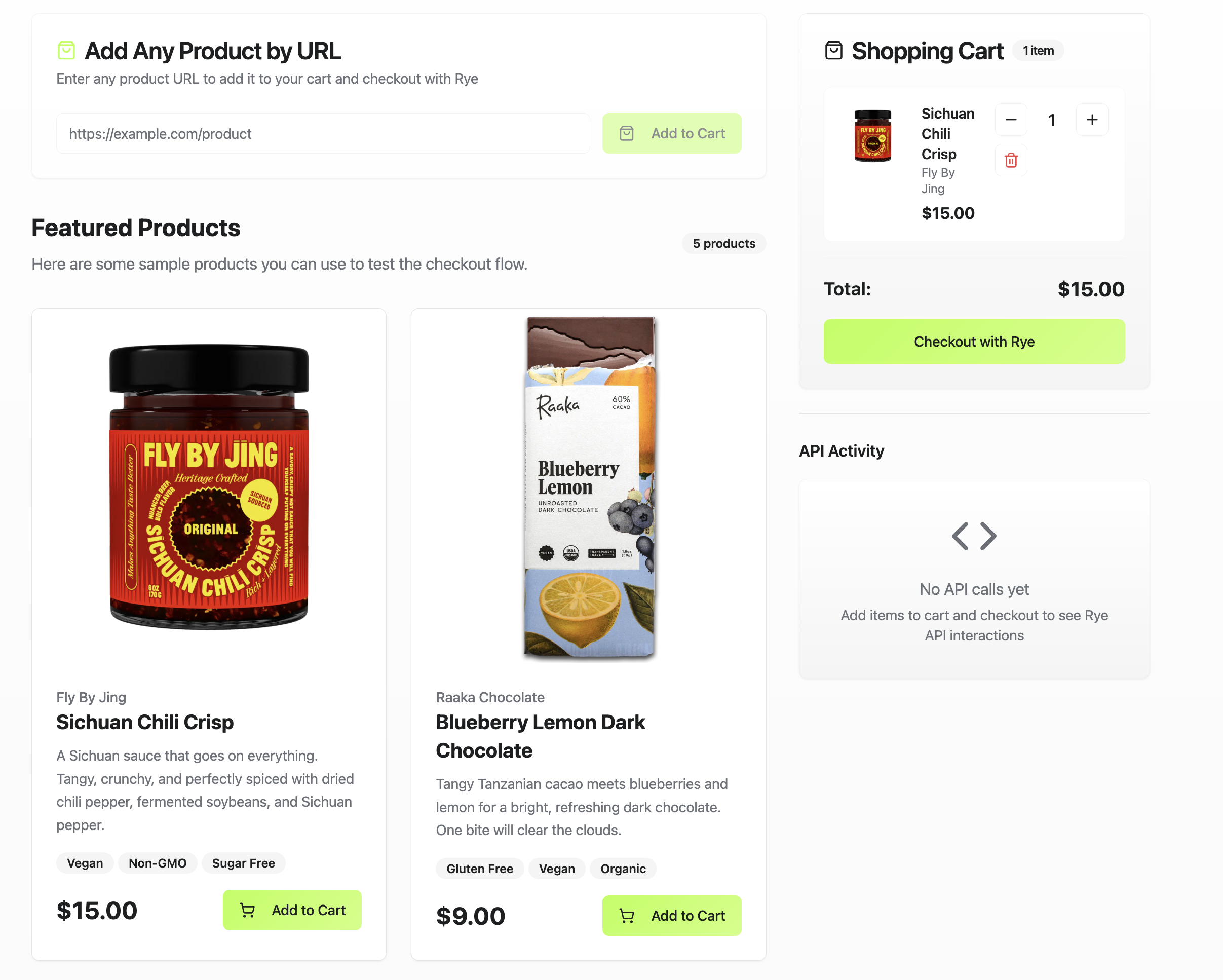
This tutorial shows you how to build an ecommerce app using Lovable, Supabase, and Rye. You can see a live version of it here and view the source code here.Lovable is an AI-powered app builder that can generate applications from natural language prompts. Supabase is a backend-as-a-service platform, including serverless functions to enable calling third-party APIs. Rye is an ecommerce API that lets you surface products from multiple merchants in your app and place orders programmatically.By the end of this tutorial, you will have a Lovable app connected to Supabase and Rye, capable of letting users browse products and place orders. From there, you can customize it, including the look and feel, and extend the app’s functionality to build any type of ecommerce experience.
This app is for demo purposes only. Before using any code generated from this repo in production, thoroughly review and test it for security and proper functionality.
Log in to Supabase and navigate to the new function created within your Supabase project from step 1. Find the environmental variable with the value AddAPIKeyHere and replace it with your Rye API key from the staging environment.
After running the prompts in step 3, Lovable will display a preview of your app. Test your app in that section.Run Lovable’s built-in security test and address any issues it identifies. Lovable generates code with AI, so it is important to verify that all security measures, such as input validation, authentication, and access controls are correctly implemented before deploying the app.
Now you can customize your app, including the UI and functionality, to build any type of ecommerce experience.Using Lovable prompts, you can add features like an admin dashboard to manage products. For a more AI-focused experience, you could integrate a chatbot to answer common questions or guide users through checkout.Remember, this app is for demo purposes, so review and test it thoroughly before deploying to production.