

See Rye in Action
Watch a complete order flow — from product URL to purchase confirmation — all without leaving your app.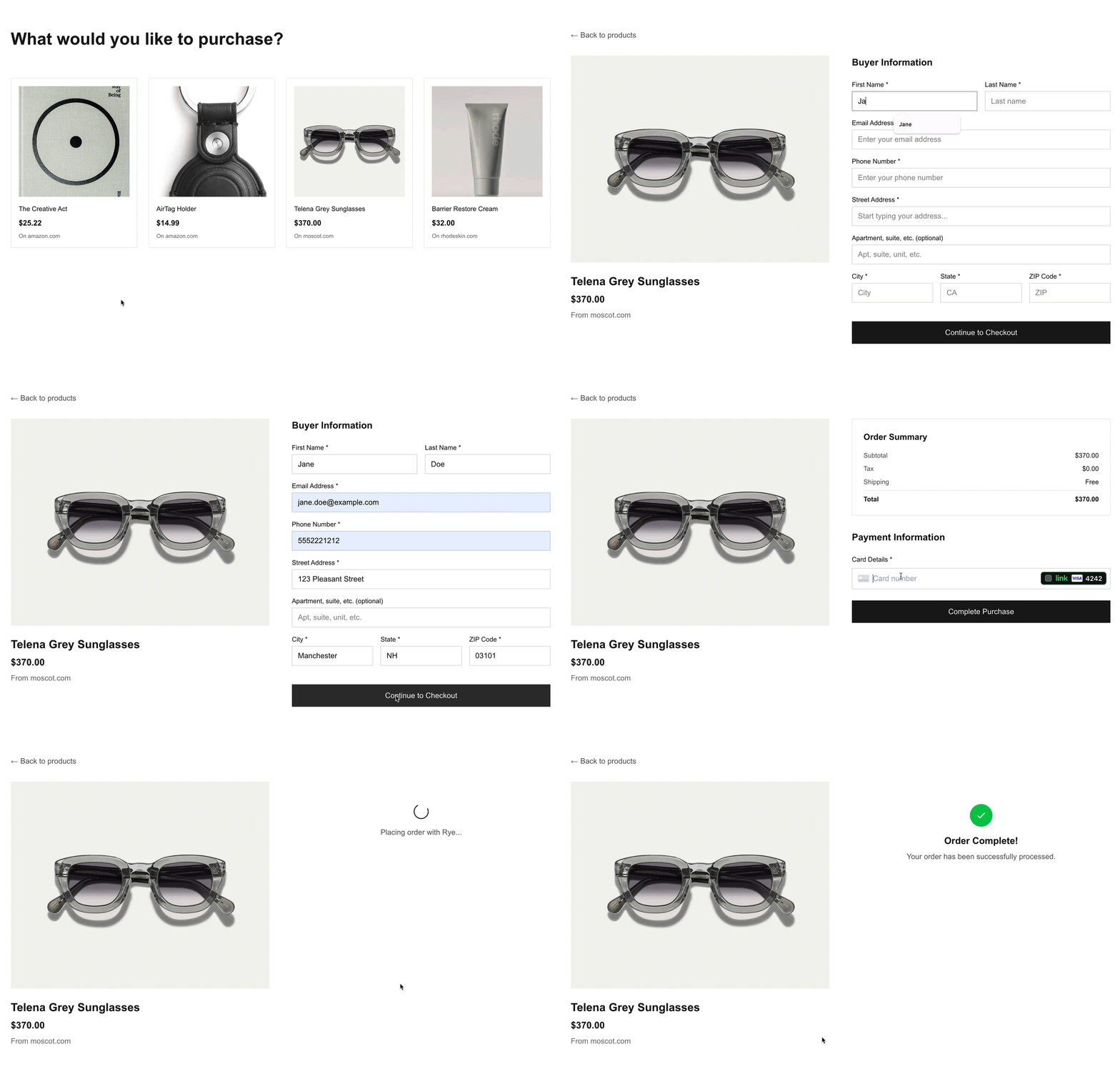
Step 1: Create a Rye Account
Create a Rye staging account to get an API key and submit a test order.Step 2: Get Your API Key
Go to the Account tab in your Rye staging account, and copy the Staging API Key. Set it as an environment variable:Step 3: Create a Checkout Intent
Send aPOST request to /api/v1/checkout-intents with the product URL and buyer identity.
You can send orders to Amazon, Shopify, or other merchants by simply changing the product URL. Example test URLs:
Step 4: Poll for awaiting_confirmation
After creating the intent, poll the /api/v1/checkout-intents/{id} endpoint with a GET request until the state is awaiting_confirmation. Use the id from the previous step.
GET endpoint for the latest state of the intent.
Step 5: Confirm Final Pricing
Before proceeding to payment, inspect the latest checkout intent response to confirm:- Shipping options and costs
- Taxes
- Total cost
- Offer availability
Step 6: Generate a Card Token
In staging, you can use the test tokentok_visa to place an order.
Alternatively, follow these steps to build a simple React app that generates tokens with Stripe Elements.
This guide uses Stripe, but Rye supports other payment providers too. See Payment Providers for all options.
Step 7: Confirm with Payment
Once the user approves the final cost, confirm the intent with their payment method:GET endpoint after confirming to check the state of the intent.
Once in a terminal state (completed or failed), the intent is finished.
Step 8: Poll for Final State
After confirming, poll theGET endpoint again until the intent reaches a terminal state:
completed: order placed successfullyfailed: something went wrong (e.g. out of stock, expired)
Rye does not provide post-purchase tracking or webhooks. Tracking and order updates are sent directly to the buyer’s email address.